Custom Web User interface

Hi,

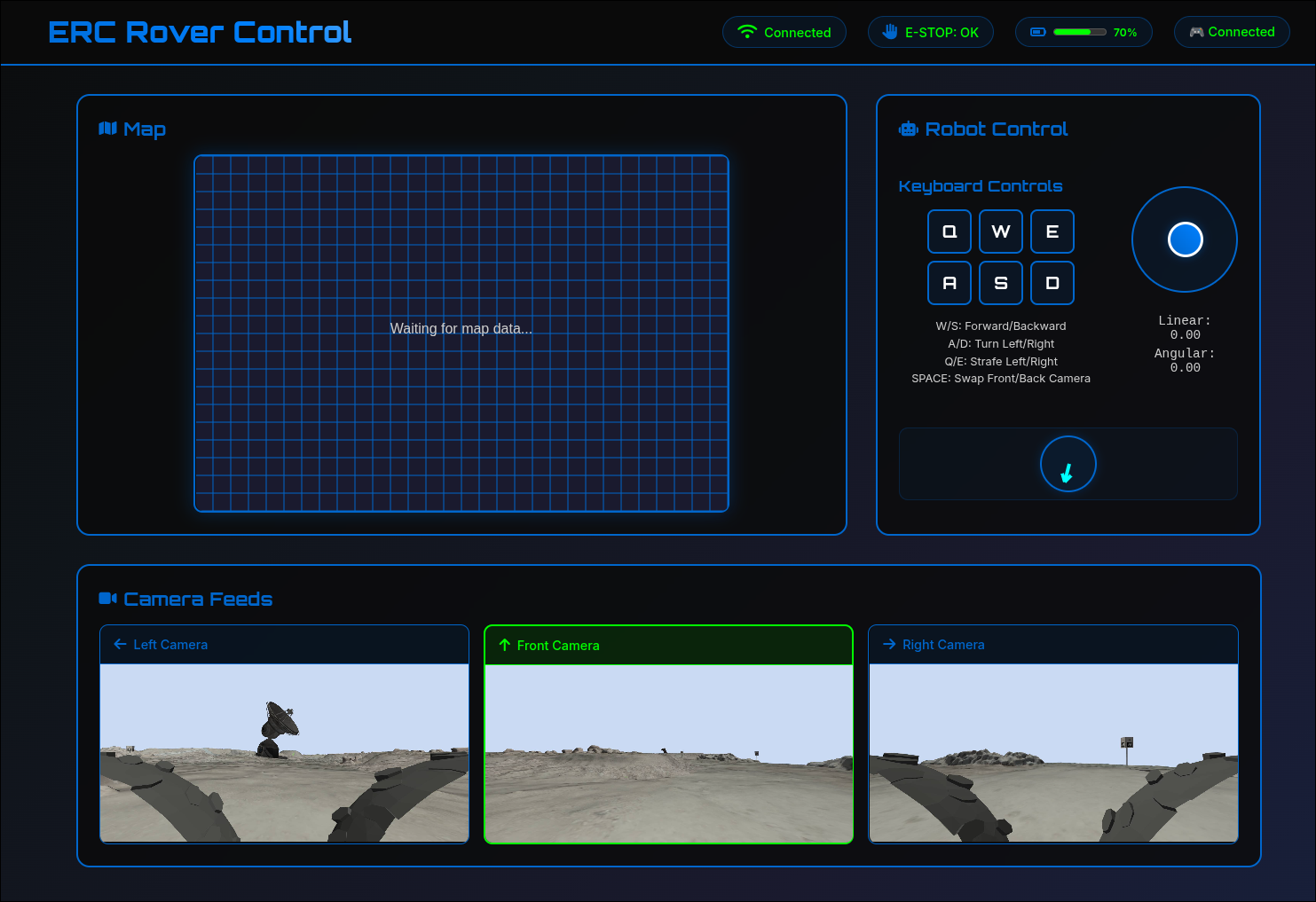
We wanted to share our web UI that we used in our last challenge test.
This is a fully feature-rich interface that includes:

  • Real-time camera feed updates
  • Keyboard control for movement
  • Joystick integration
  • Battery status monitoring
  • Emergency Stop (E-Stop) status
  • 2D map visualization

You can run it in one of the following ways:

  1. In the remote VM
    1.1 connect using SSH tunneling:

    ssh -L 8080:localhost:8080 team@ip
    

    1.2 Desktop server access the Web UI directly.

  2. Locally on your machine — use ros2router to access the topics.

All features and more details are available in the README.md file:
https://github.com/MindCloud-Team/web_ui
Mind Cloud

Hi!
Could you please list changes made since [Tool Share] Mind Cloud's ROS 2 Dashboard for Panther UGV was published?

Hi, yes, we haven’t made any new changes to the GUI since the original post. There are two different versions: the first is a desktop-based solution, and the current one is a web-based solution. Each version is maintained independently, but we found that the web-based solution works better for our needs.

Desktop GUI vs Web-based GUI

Feature Desktop GUI Web-based GUI
3D visualization (LiDAR) :white_check_mark: Yes :x: No
2D map visualization :x: No :white_check_mark: Yes
Integrated joystick control :x: No :white_check_mark: Yes
Fifth camera feed :x: No :white_check_mark: Yes
Sensors data Has more details Less compact details
Visual polish / UI design Basic More polished

Both GUIs remain available and can be customized for anyone who prefers either a desktop application or a web-based solution.

1 Like